3. Launch Game
3.1 Game Authorization Modes
PG SOFT supports two kinds of game launch authorization modes:
- URL scheme mode is for iOS, Android and browser, it uses the token parameters to authorize and login.
- Web lobby mode is a responsive web page which uses token parameters to authorize and login.
3.1.1 URL Scheme
URL scheme is an ordinary method for game launch. Player is required to login via the operator’s website and launch the game through the operator’s game lobby page.
Note: Operator is required to provide verifySession[1] API for operator’s player session authentication
Request
API URL : {PgSoftPublicDomain}/{GameId}/index.html
HTTP method : GET
URL:
| Parameter name | Data Type | Mandatory | Description |
|---|---|---|---|
| GameId | String | Yes | Unique identity for each game[2] |
URL Parameters:
| Parameter name | Data Type | Mandatory | Description |
|---|---|---|---|
| btt | Integer | Yes | Game launch mode[3] |
| ot | String | Yes | Unique identity of operator |
| ops | String | Yes | Token generated by operator system Note: - Max 200 characters - Please set the parameter value as GUID format or any random string - Please encode the value with UrlEncode to avoid unexpected error |
| l | String | No | Display language of game[4] Default: en |
| te | Integer | No | Time elapsed for game health reminder in seconds for operator (Reality check[5]) |
| ri | Integer | No | Reminder interval for game health reminder in seconds (Reality check[5]) |
| op | String | No | Custom parameter for operator, PG SOFT API will include parameter value upon verifying operator’s player session Note: Please encode the value with UrlEncode to avoid unexpected error |
| f | String | No | Game exit URL Default: Redirect to PG SOFT quit page Note: - In Trial Game mode, value will be used for redirection of the Real Game prompt Assign value to PGGameCloseUrl to close the game window Please encode the value with UrlEncode to avoid unexpected errors |
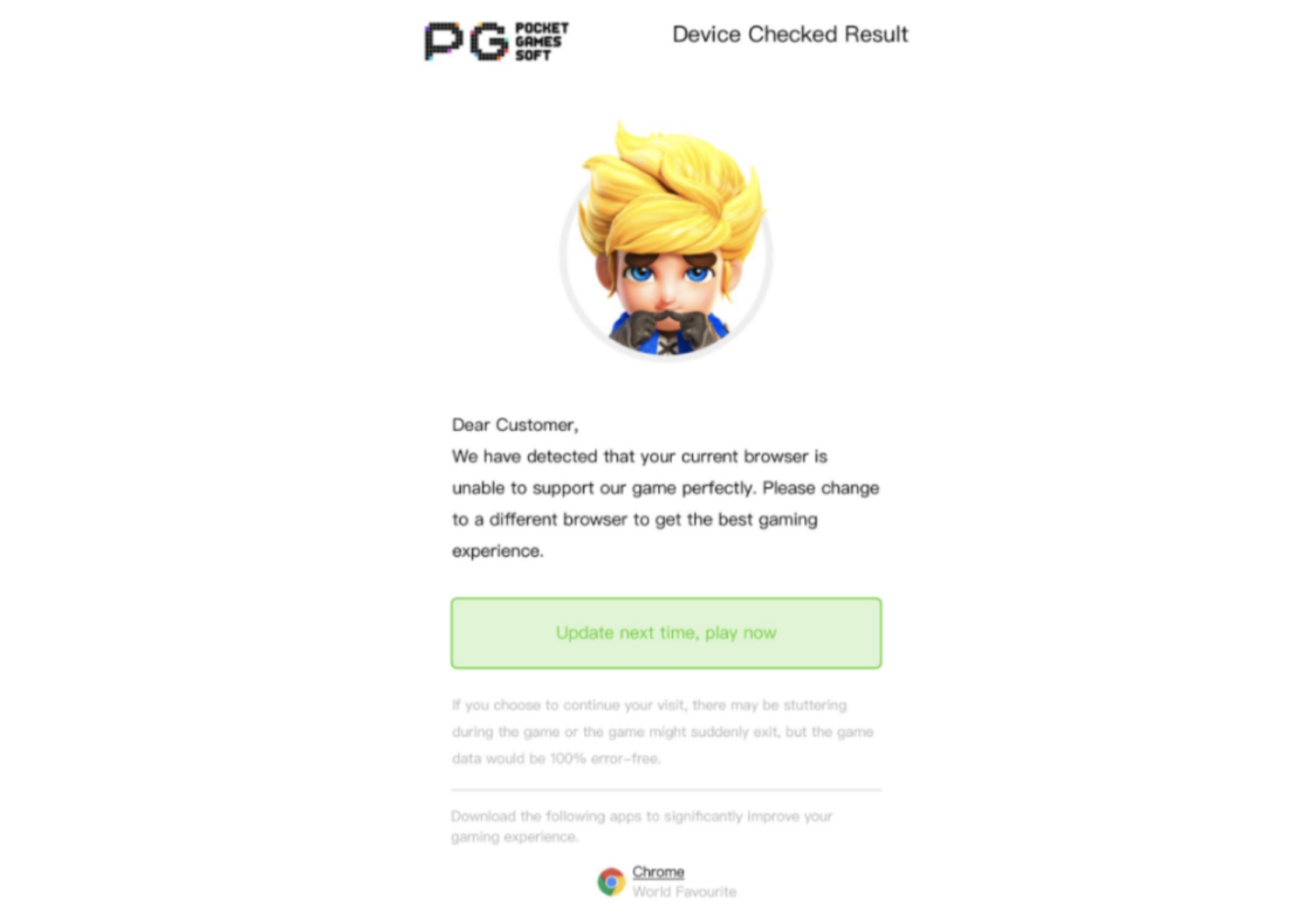
| iwk | Integer | No | Device compatibility check[6] when launching the game 0: Normal mode (Default) 1: Skip compatibility check Note: - Skipping compatibility check might cause WebGL error or WebGL crash - This option is for IOS Web Kit & Safari only |
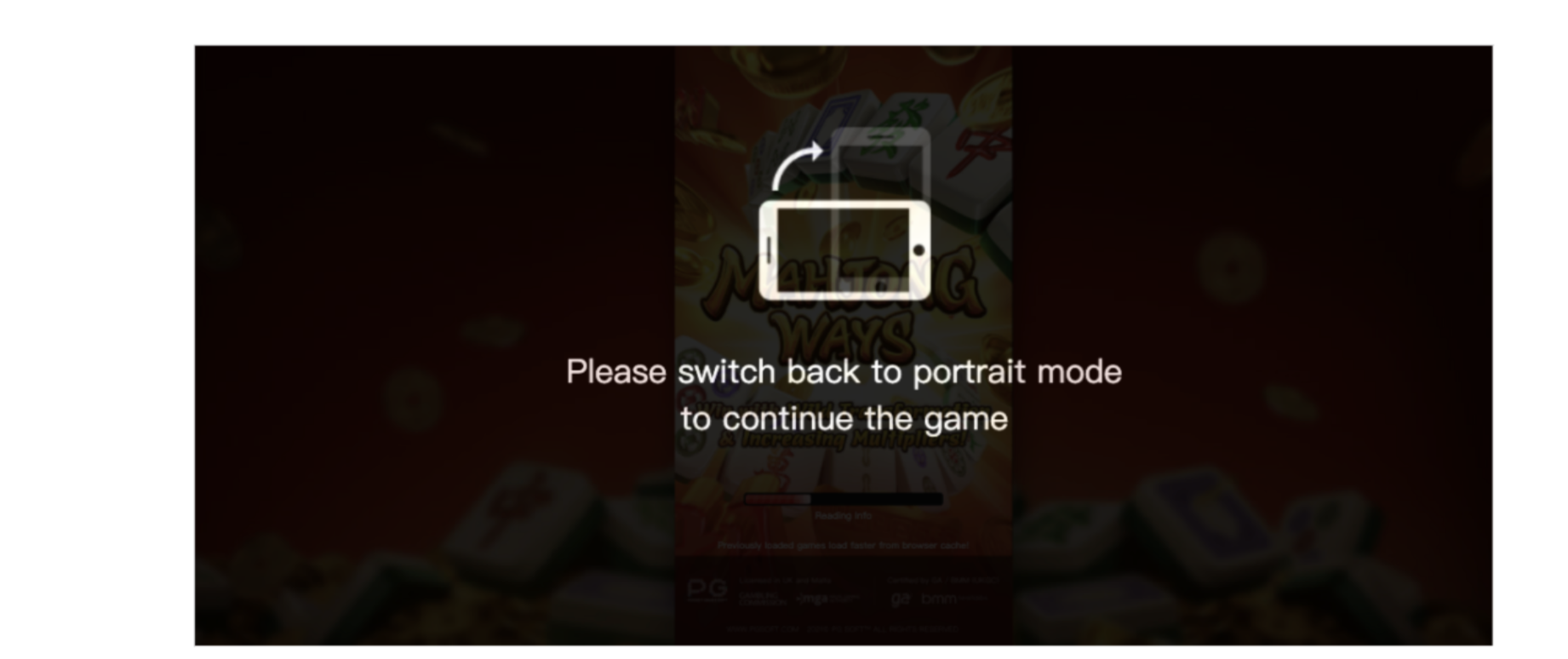
| oc | Integer | No | Screen orientation check[7] when launching the game 0: Skip screen orientation check 1: Normal mode (Default) |
3.1.1.1 Reality Check
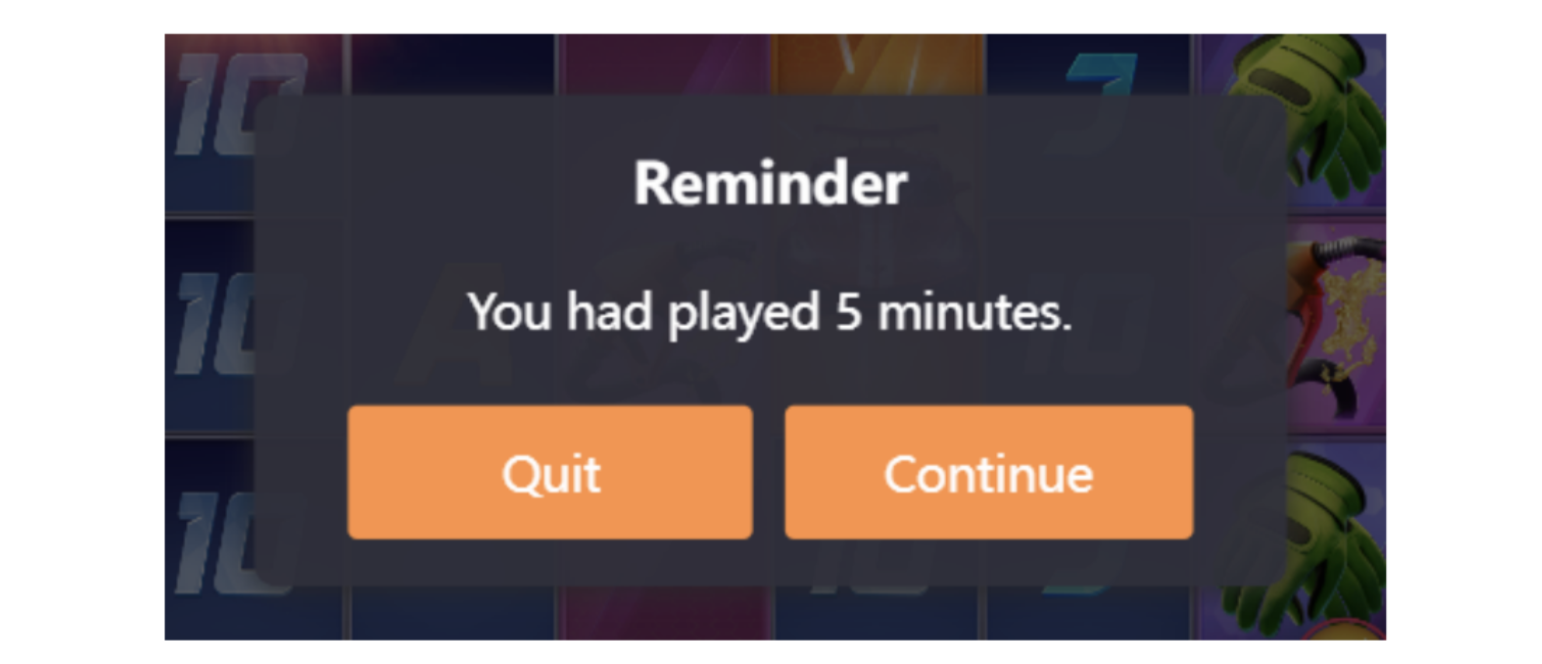
In URL scheme[8], operator may include “te” and “ri” parameter into the launch game URL for reality check.
- te : Time used in the calculation for the first reality check in second(s)
- ri : Reality check interval in second(s)
Example:
ri=300&te =290
The first reality check reminder will show after 10 seconds (300s-290s=10s), and subsequent reminders will show up for every 5 minutes.
Screenshot
3.1.2 Web Lobby
PG SOFT web lobby is a responsive webpage with all PG SOFT games which allows player to play PG SOFT games in one place. It provides a brand-new experience to the player using beautiful, attractive, informative and effective UI design. We recommend operators to integrate PG SOFT web lobby into their website.
Player is required to login via the operator’s website and launch PG SOFT games through PG SOFT web lobby.
Note: Operator is required to provide verifySession[9] API for operator’s player session authentication.
Request
API URL : {PgSoftPublicDomain}/web-lobby/{panel_type}
HTTP method : GET
URL:
| Parameter name | Data Type | Mandatory | Description |
|---|---|---|---|
| panel_type | String | Yes | Display panel of web lobby at first load [NO VALUE] : Default panel (Tournament) tournament/open : Tournament – Open for entry panel tournament/process: Tournament – In progress panel tournament/end : Tournament – Ended panel games : Show only game |
| ot | String | Yes | Unique identity of operator |
| ops | String | Yes | Token generated by operator system Note: - Max 200 characters - Please set the parameter value as GUID format or any random string - Please encode the value with UrlEncode to avoid unexpected error |
| l | String | No | Display language of web lobby[10] Default: Player device language |
| width | Integer | No | Page width of web lobby Default: Responsive Value range: Value ≥ 930 |
3.2 Game Launch Restrictions
Multiple windows or multiple game launches are unsupported by PG SOFT games. Players will be locked and kick out of games, and encounter errors when the below are detected:
S1302XXXXXXXX: Unsuccessful Game Authorization
S1309XXXXXXXX: Player account been suspended
S1305XXXXXXXX: Server request failure
When encountering the above errors, players may close the game windows and relaunch the game to unlock their player accounts:
S1302XXXXXXXX: Please relaunch the game
S1309XXXXXXXX: Player account will be unlocked automatically after 10 minutes, please relaunch the game after 10 minutes
S1305XXXXXXXX: Please relaunch the game
References
[1]
Please refer to Verify Session section for more information.
[2]
Please get the latest list from PG SOFT
[3]
Please refer to Bet Types section for complete list
[4]
Please refer to Languages section for complete list
[5]
Please refer to Reality Check section for more information
[5]
Please refer to screenshot
[7]
Please refer to screenshot
[8]
Please refer to URL Scheme section for more information
[9]
Please refer to Verify Session section for more information
[10]
Please refer to Languages section for complete list